
How it works
You close up. Kate’s team drafts next week. You tap yes.
Tell Kate, an AI CMO, what you want in plain words. While you are shut, her team drafts the posts, the pictures and the plan. In the morning you tap yes, and on Friday a receipt shows what ran.
Skip to the eight stepsFrom £39 a month

What happens after you lock up.
You tell Kate what you want before you lock up. Her team does the drafting while you are shut, and by the time you open, the week is waiting for your yes.
Before you lock up
You say what you want.
In your own words, the way you would say it across the counter. No marketing speak needed. If Kate needs to know more, she asks.
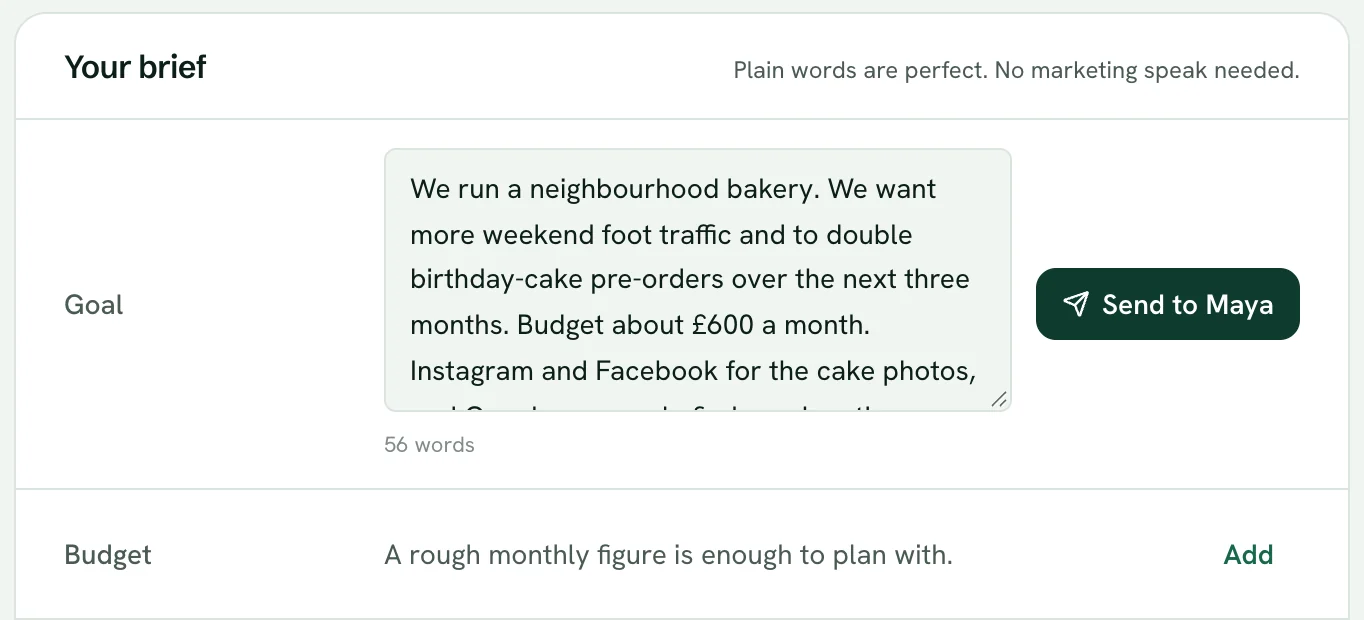
The brief screen, with the app's own example brief for a made-up bakery. While you are shut
The team drafts the week.
Kate briefs the specialists and each one hands back their part: the brief, the words, the pictures and the times. Nothing leaves your workspace.
Kate briefs the team
- Maya, Account StrategistTurns your words into a brief
- Nia, Copy ChiefWrites each post in your voice
- Joe, Creative DirectorMakes the pictures
- Zoe, Social Media ManagerPlans when each one goes out
- Grace, Project ManagerLines it all up for your yes
Review the team’s drafts before you use them.
When you open
The week is ready for your yes.
Open the app on your phone and it is laid out: each draft word for word, with the day and time it would go out. Nothing has gone anywhere yet.
At seven each morning, one short email tells you the one thing that needs you.
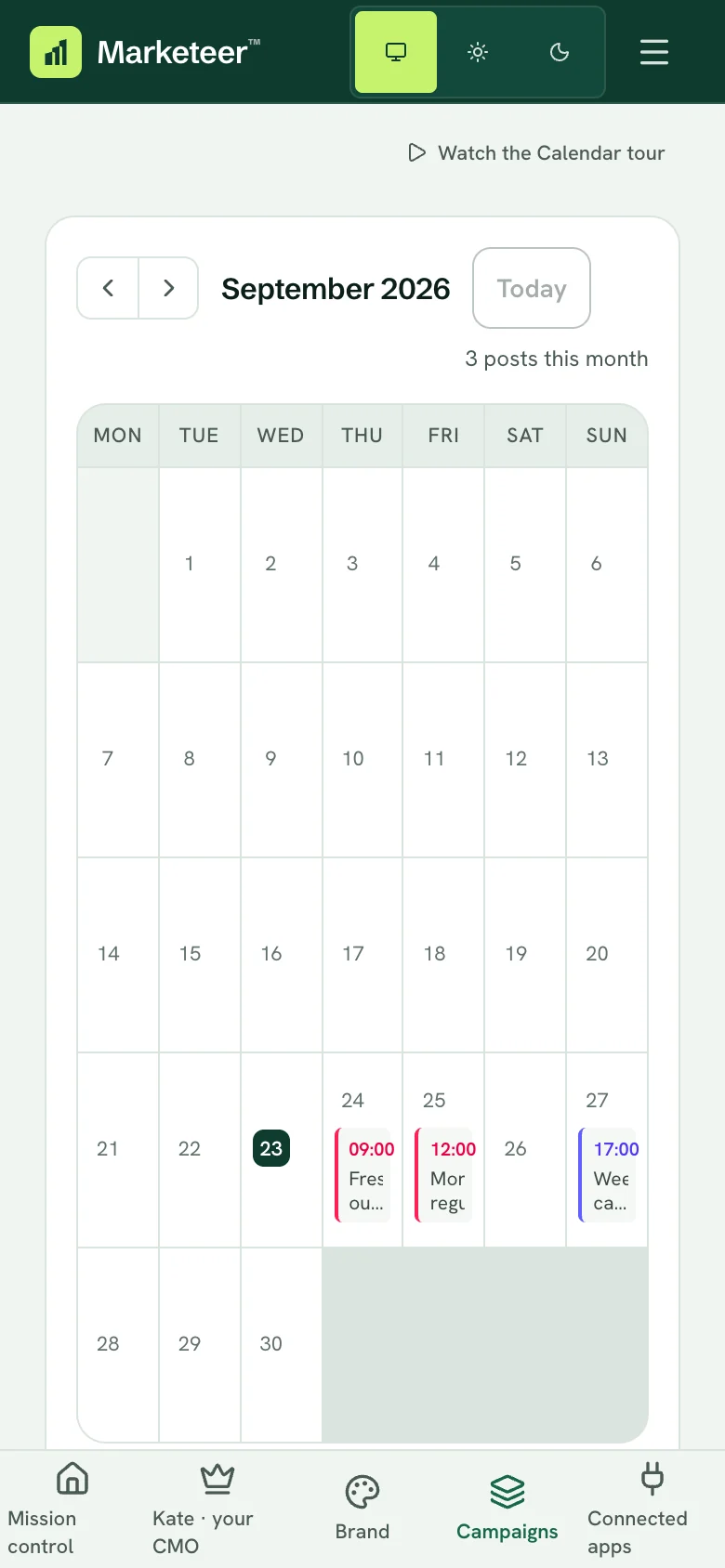
The calendar, on a phone


No goal this week? Every Sunday evening Kate drafts next week’s posts from what she knows about your business. On Monday you tap yes.
You see exactly what goes out. Then you tap yes.
The week’s drafts arrive together. Each draft shows the post word for word with its picture, the channel it goes to, the link it points to, and when it goes out, or that no time is set yet.
- There is no auto-approve: a post nobody approved simply waits.
- Edit it after approving and it needs a fresh yes.
- Approve the week in one tap, with a minute to change your mind, or approve each post on its own.
Wednesday
Fresh out the oven: seeded sourdough and the first cinnamon buns of the week. Come early for a warm one.
Links to the bread list
Waiting for your yes.
Friday
Friday lunch: a flat white and a slice of lemon drizzle, or a loaf to take home for the weekend.
Links to the café menu
Waiting for your yes.
Sunday
Weekend cake orders are open. Birthday, anniversary or just because: tell us by Thursday and we will have it ready.
Links to the cake order form
Waiting for your yes.
Nothing is scheduled until you approve it. A post nobody approves simply waits.
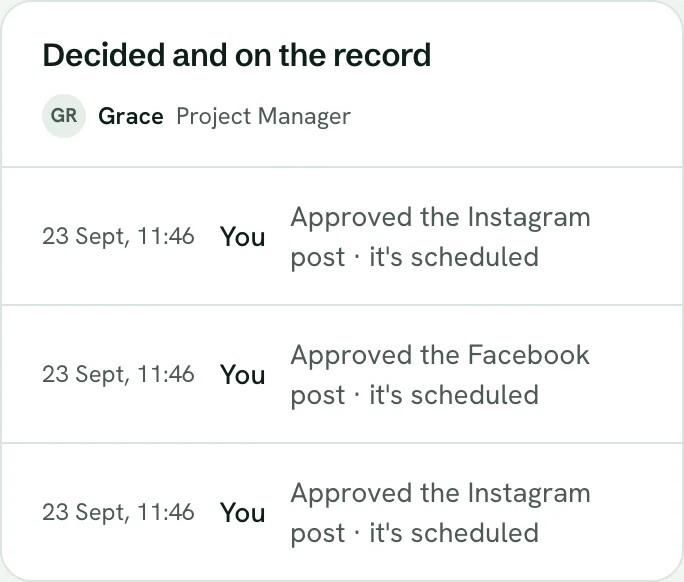
After your yes
An approved post is scheduled on your calendar, and the approvals screen keeps a dated record of each decision.
On Pro, an audit log of every campaign run and approval decision.
Friday brings the receipt.
Every Friday afternoon an email sums up your week: what ran, what happened and what to do next. The same record is written for the team. You see the week in Kate's chat.
It is built from the accounts you connected, by fixed rules rather than a model. Where nothing is connected, or a number was not measured, it says so rather than guessing.
Last week's receipt shapes next week's draft, so every week starts informed.
Marketeer Labs
Friday receipt
- What ran
- Every post that went out this week, and where the campaign work got to.
- What happened
- What the platforms reported, from the accounts you connected. A number that was not measured says so.
- What to do next
- The one change worth making, and what it feeds into next week's draft.
- Ad spend
- Ad spend, when you have connected an ad account.
Worked out from your own numbers by fixed rules, not an AI opinion.
Eight steps, and who does each.
Underneath the week is the campaign cycle. Kate researches, drafts and checks inside your workspace on her own. Anything that leaves it needs your yes.
Connect and upload
Your website, your assets and the accounts that matter.
Needs your yes
Diagnose
Kate reads your website and shows the visible gaps and the missing evidence. She asks for what she could not find, and never guesses at a conversion rate.
Kate does this
Confirm brand and goals
You correct the offers, claims and brand rules, then set the goal.
Needs your yes
Create the campaign
Kate assigns research, copy and creative to the specialists. Drafts can receive a separate AI check. Review the work before using it.
Kate does this
Review the exact plan
Assets, audience and timing together. You tap yes, change it, or ask for changes with a note.
Needs your yes
Launch and verify
Approved posts and emails publish to your connected accounts. Kate writes each ad and you launch it in your own ad account. Once a post lands, the app records the id and link the publisher sends back, so you can open the post and check it.
Needs your yes
Read the results
Fresh numbers from the accounts you connected. Where nothing is connected, or a number was not measured, it says so rather than guessing.
Kate does this
Choose the next cycle
Continue, change or stop, with a clear idea of what to test next.
Needs your yes
The specialists Kate briefs at step four are named on the team page.
What works today, and what does not yet.
Every part of the run has one of four states. Each channel is listed by name on the connections page.
- Livedrafts, one-tap approval and brand memory in your workspace, posts to your connected social accounts, email broadcasts
- You launch itGoogle, Meta and LinkedIn ads, written in full
- Coming soona published Facebook post boost, switched off, WhatsApp for your customers
- Not builtSMS, TikTok ads, Pinterest ads
Weighing an agency, a freelancer or doing it yourself? Compare the alternatives
Let the team draft your next week.
From £39 a month. 14-day trial, card to start, cancel before it ends to avoid a charge.
Want it run with you, with a named person alongside? The Growth programme is by application. See the Growth programme.